
Options alert message
What does an options alert message look like?
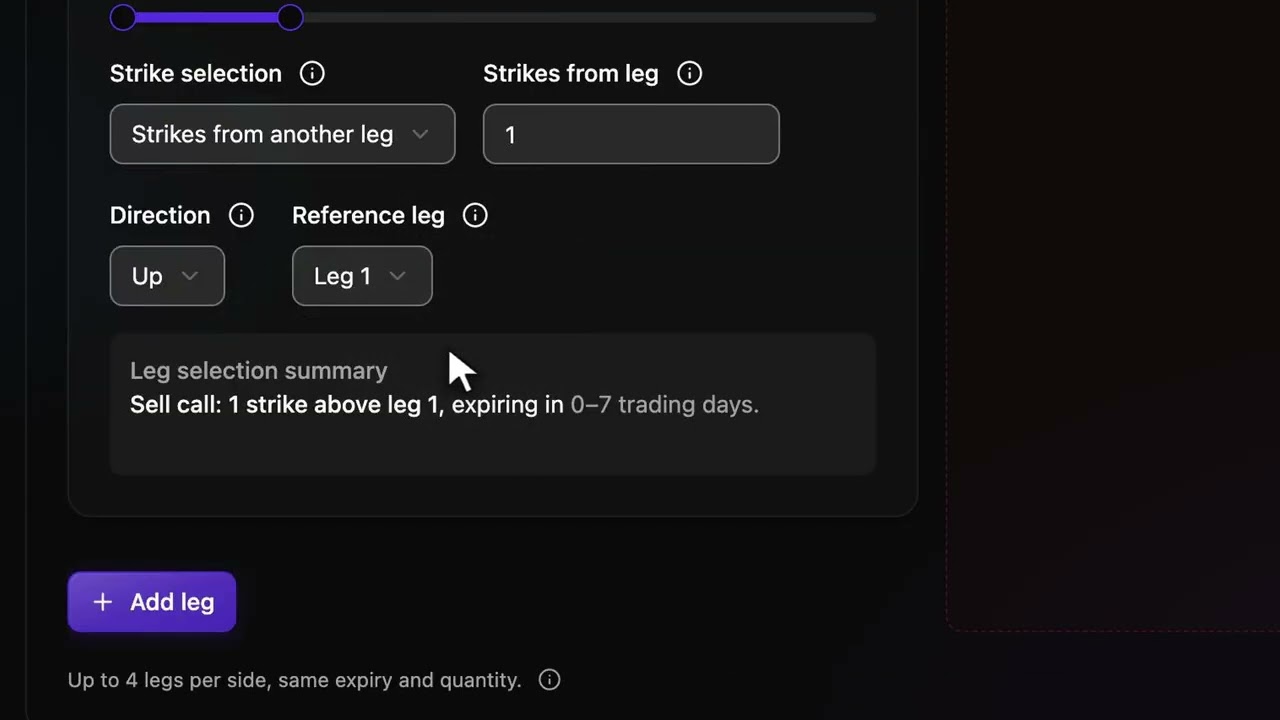
An options alert names the ticker and direction. When the strategy has rules for delta, DTE and strike, that is enough. A strategy set to Provided in alert takes the contract from a legs array instead, with side, strike, expiration and an action on every leg. TradingView alerts always use the rules and send no legs. Nyria trades up to 4 legs per order on one expiration.
Options from strategy rules
The strategy's rules pick the contract. The alert names the ticker and direction only. From TradingView, LONG uses the call rule and SHORT the put rule.
Call entry (strategy picks the contract)
{ "action": "OPEN", "ticker": "{{ticker}}", "direction": "LONG" }Put entry (strategy picks the contract)
{ "action": "OPEN", "ticker": "{{ticker}}", "direction": "SHORT" }Call exit
{ "action": "CLOSE", "ticker": "{{ticker}}", "direction": "LONG" }Put exit
{ "action": "CLOSE", "ticker": "{{ticker}}", "direction": "SHORT" }Single-leg call
On Provided in alert, name the strike, expiration and action in a legs array. TradingView ignores it.
Call entry
{
  "action": "OPEN",
  "ticker": "SPY",
  "direction": "LONG",
  "legs": [
    { "side": "CALL", "strike": 780, "expiration": "2026-12-18", "action": "buy_to_open" }
  ]
}
Call exit
{
  "action": "CLOSE",
  "ticker": "SPY",
  "direction": "LONG"
}
Single-leg put
On a Provided in alert strategy, a bought put is LONG. Direction is the side you hold, not your market view.
Put entry
{
  "action": "OPEN",
  "ticker": "SPY",
  "direction": "LONG",
  "legs": [
    { "side": "PUT", "strike": 780, "expiration": "2026-12-18", "action": "buy_to_open" }
  ]
}
Put exit
{
  "action": "CLOSE",
  "ticker": "SPY",
  "direction": "LONG"
}
Bull call spread (2 legs)
On a Provided in alert strategy, both legs share one expiration. Nyria places the order as a spread. Each leg's action sets whether it buys or sells.
Call spread entry
{
  "action": "OPEN",
  "ticker": "SPY",
  "direction": "LONG",
  "legs": [
    { "side": "CALL", "strike": 780, "expiration": "2026-12-18", "action": "buy_to_open" },
    { "side": "CALL", "strike": 785, "expiration": "2026-12-18", "action": "sell_to_open" }
  ]
}
Call spread exit
{
  "action": "CLOSE",
  "ticker": "SPY",
  "direction": "LONG"
}
Bear call spread (2 legs)
For a strategy set to Provided in alert. A SHORT entry sells the lower strike and buys the higher. Give every leg its own action, or both legs sell.
Credit spread entry
{
  "action": "OPEN",
  "ticker": "SPY",
  "direction": "SHORT",
  "legs": [
    { "side": "CALL", "strike": 800, "expiration": "2026-11-20", "action": "sell_to_open" },
    { "side": "CALL", "strike": 810, "expiration": "2026-11-20", "action": "buy_to_open" }
  ]
}
Credit spread exit
{
  "action": "CLOSE",
  "ticker": "SPY",
  "direction": "SHORT"
}
0DTE alerts
On a Provided in alert strategy, a named contract can expire today. Discord and Telegram alerts with no date take the nearest listed one.
Use the formats above with today’s date as the expiration. For Discord or Telegram, leave the expiration off. Nyria uses the nearest listed contract.
Discord and Telegram plain text
Standard floor-trader shorthand works in Discord and Telegram messages.
BTO call
BTO SPY 12/18 780C
STC call
STC SPY 780c 12/18
BTO with price
BTO AAPL 345c 11/20 @ 12.50
A price after @ is the limit on a limit bot set to Alert price, and ignored on a market bot. Nyria sizes orders from the bot’s Budget per entry.
Common mistakes
- Sending a legs array from TradingView: it uses From my rules, so the legs are ignored.
- Forgetting the expiration on an entry leg: a legs array entry requires a date in YYYY-MM-DD format.
- Leaving the action off a leg: it follows the alert's direction, so a SHORT spread sells both legs.
- Using a non-trading-day date: the expiration must be a date when options on that ticker are listed.
- Using
{{strategy.*}}placeholders in an indicator alert: those values are only available when a strategy() script fires the alert.
Test your alert
Paste any of these into the alert tester to see the legs, strike, expiration and action Nyria reads from it. Every alert field is in the webhook reference.
Questions
- Does the bot pick the contract or does the alert?
- Either, depending on the strategy. On From my rules, the strategy's delta, DTE and strike rules pick the contract. The alert only needs the ticker and direction. On Provided in alert, the alert names every contract in a legs array. A TradingView strategy always uses From my rules.
- What expiration formats work in a legs array?
- Use YYYY-MM-DD, for example 2026-12-18. The date must be a listed expiration. On a Provided in alert strategy, a named contract can be any listed expiration, even same-day.
- Can I send a 0DTE alert late in the day?
- Yes. On a Provided in alert strategy, today's expiration is valid while the contract is still listed. Discord and Telegram alerts with no expiration take the nearest listed one, even today's.
- How many legs per order?
- Up to 4 legs on one expiration. All legs must share the same expiration date.
Trade options alerts on a free paper bot
Test single legs, spreads and 0DTE on Nyria Paper. No card required.